GloryBound Controls
Attack, dash, block, revive, rewards, and inventory — the keys every gladiator needs before wave 21.
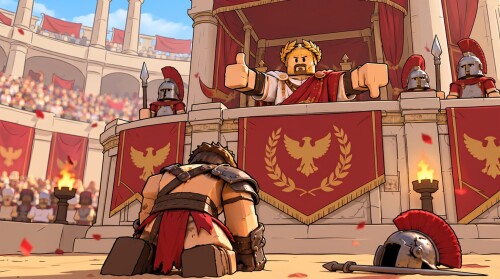
Mastering GloryBound controls is the difference between a clean Cerberus learn and a wipe at the blood-red gate. SphereX Studio’s Roblox Colosseum survival game uses a compact combat kit — attack, dash, class defense, revive, and hub menus — but each class reads those inputs differently. This guide covers the commonly cited PC keybinds, how they change by kit, mobile notes, and which menus you open for codes, skill points, and inventory. Pair it with Getting Started for the first-hour loop and Players / Classes for kit choice.
Controls can receive silent hotfixes. If a prompt on screen disagrees with this page, trust the live client. Community guides and beginner videos consistently cite the bindings below for mid–late 2026 builds.
Core combat keys (PC)
| Input | Action | When it matters |
|---|---|---|
| LMB (left mouse) | Primary attack | Every wave — sword, spear, bow, or greataxe swings |
| Q | Dash / mobility | Dodging boss telegraphs, repositioning, closing gaps |
| Block (Gladiator) | Raise shield | Trading with packs and soaking chip before Hardcore |
| Hold E | Revive downed allies | Squad Survival, Trials, Weekly Raid |
| J / gift icon | Rewards menu | Wheel, Calendar, Quests, Codes tab |
| G | Inventory / skill tree access | Equip loot, open Gladiator’s Oath paths |
Memorize Q and revive timing before you chase Insane clears. Raw damage from LMB spam does not save a squad that never picks each other up.
Attack (LMB) by class
Gladiator (sword + shield) wants measured LMB strings mixed with block windows. Do not hold attack through every wind-up you see — the shield exists so you can interrupt greed. Lancer (spear) uses LMB to poke at safer range; dash in, land hits, dash out when slam circles appear. Archer (bow) treats LMB as ranged poke; stay mobile and use Q to reset distance rather than face-tanking. Berserker (greataxe; unlock via Robux purchase or level 60, commonly 310 Robux on this wiki’s class notes) has no block — LMB commitment is higher, so dash discipline is mandatory.
Class deep-dives and starter recommendations live on Players / Classes and the class tier list. Controls only tell you how to press; kit pages tell you when your kit wins trades.
Dash (Q) — the universal survival button
Dash is not a decoration. Use Q to:
- Leave ground-targeted boss slams (Cerberus and arena bosses punish planted feet).
- Close distance as Gladiator or Berserker without walking into cone attacks.
- Create revive space — dash to the downed ally, start the hold, dash out if a pack collapses.
- Reposition Archer angles when melee elites leap.
Newer players burn dash on empty ground, then die to the next telegraph. Practice short Survival runs where your only goal is clean Q usage through wave 20. The Survival guide explains why that checkpoint matters: Cerberus near round 20, blood-red Hardcore at 21, Insane at 41.
Block — Gladiator-only safety net
Only Gladiator brings a reliable block. Raise the shield to soak chip and buy time for teammates. Block does not replace dash against unblockable slam tells — learn which attacks must be Q’d. If you main Lancer, Archer, or Berserker, you solve the same problems with spacing and dash instead of a shield. That is why Getting Started still recommends Gladiator for hour one: the block key teaches enemy rhythm while you learn menus and revive etiquette.
Revive — hold E on downed allies
In squad content, hold E near a downed teammate to revive. Context matters: in the hub gym, E / Push also trains Strength at the bench. In the arena over a body, the same key is your pickup. Squad habits that win runs:
- Revive before executing far trash when someone is down in the stack.
- Stagger pickups so a slam does not delete three players mid-channel.
- Use dash to arrive faster; do not stroll across the Colosseum during Cerberus.
- Solo queues have no pickup safety net — play one gear tier more carefully.
Trials (Ignis, Glaucus, Hydra of Lerna, Janus) and the Weekly Raid inherit the same revive rule. See Trials and Weekly Raid once you are past level 10 content gates.
Rewards menu — J / gift icon
Open the gift UI or press J for daily systems: Wheel, Calendar, Quests, and the Codes tab. Redeem promo strings here after the tutorial and your first arena fight. Do not hard-memorize a fragile code list inside a controls page — always verify live rewards on the Codes hub and follow How to redeem codes for the exact UI path. Lucky Spins from codes feed the Crystal of Fortuna; Legendary chests feed your armor slots.
Inventory and skill tree — G
Press G for inventory and the path into the skill tree. Equip chest drops immediately; unequipped rarity does nothing. Spend your first skill point on Gladiator’s Oath, then route Gladius / Numen / Scutum / Fortuna as covered in the Skill tree guide. Respec costs Robux, so learn menus before panic-spending points after one bad wave.
Loot context — Vault Cash chests, Forge Embers after wave 21, set bonuses — belongs with Loot and armor and the dedicated Armor sets guide. Controls only get you into the screens; those pages tell you what to buy.
Mobile and touch notes
On mobile / touch, expect on-screen attack, dash, and contextual buttons instead of LMB / Q / G / J labels. The actions match PC even when the glyphs differ:
- Tap attack for primary swings.
- Use the dash control for the same Q role.
- Hold the revive prompt when standing on a downed ally.
- Open the gift / rewards panel for codes and dailies.
- Open inventory for equip and skill tree.
Roblox touch UI scales with device; if a button is missing, finish the tutorial and first fight — some menus unlock after onboarding. Sensitivity and camera drag matter more on mobile Archers; practice in early waves before Hardcore.
Class control cheat-sheet
| Class | Attack feel | Defense tool | Control focus |
|---|---|---|---|
| Gladiator | Close LMB strings | Block + Q | Learn tells with shield up |
| Lancer | Reach LMB poke | Q spacing | Dash in/out, never plant |
| Archer | Ranged LMB | Q kiting | Camera + distance management |
| Berserker | Heavy LMB | Q only (no block) | Commit less; dash more |
Berserker remains a Robux purchase or level 60 unlock — do not buy it solely because the greataxe looks louder until you can dash and revive cleanly on a free class.
Practice drill (ten minutes)
- Hub: open J, confirm Codes tab, redeem anything live via Codes.
- Hub: open G, equip upgrades, confirm Gladiator’s Oath.
- Queue a short Survival run.
- Waves 1–10: only practice Q on every slam telegraph.
- If a teammate downs, hold E immediately — ignore distant loot sparkles.
- Gladiator players: alternate block and dash; do not turtle forever.
- After the run: gym E Push for Strength, then repeat.
Common control mistakes
- Treating dash as a sprint cosmetic and dying to telegraphs.
- Ignoring revive because “I am DPS.”
- Never opening J, then complaining about missing Lucky Spins.
- Leaving Legendary chest loot unequipped in G.
- Buying Berserker before learning Gladiator block timing.
- Assuming mobile lacks revive — look for the hold prompt on the body.
Related guides
- Getting Started — first-hour checklist that assumes these keys
- Survival — where dash and revive decide Hardcore clears
- Skill tree — what you spend after opening G
- How to redeem codes — Codes tab inside the gift / J menu
- Players / Classes — kit roles behind each control profile
- PvP and clans — same muscle memory, human opponents
Learn the six inputs above until they are automatic. GloryBound depth lives in Blessings, armor sets, Trials, and Age of Conquest PvP — but none of that helps if Q and hold E are still surprises at wave 21.
Frequently Asked Questions
Quick answers for GloryBound gladiators.
What are the main GloryBound PC controls?
LMB attacks, Q dashes, Gladiator can block, hold E revives allies, J or the gift icon opens rewards and codes, and G opens inventory and the skill tree.
How do I revive teammates?
Stand near a downed ally and hold E. Dash in with Q if you are far. Solo runs have no revive safety net, so play safer.
Where do I redeem codes?
Open the gift menu or press J, then use the Codes tab. Follow How to redeem codes and verify active strings on the Codes hub.
Do controls change by class?
Attack and dash are shared, but only Gladiator has a proper block. Berserker has no block and must rely on dash. Archer and Lancer lean on spacing.
Is E only for revive?
No. In the gym, E / Push trains Strength. In the arena over a downed player, hold E to revive. Context switches the action.
Do mobile players use the same actions?
Yes — attack, dash, revive hold, rewards, and inventory exist as touch controls even when key labels differ. Finish the tutorial if a menu is missing.